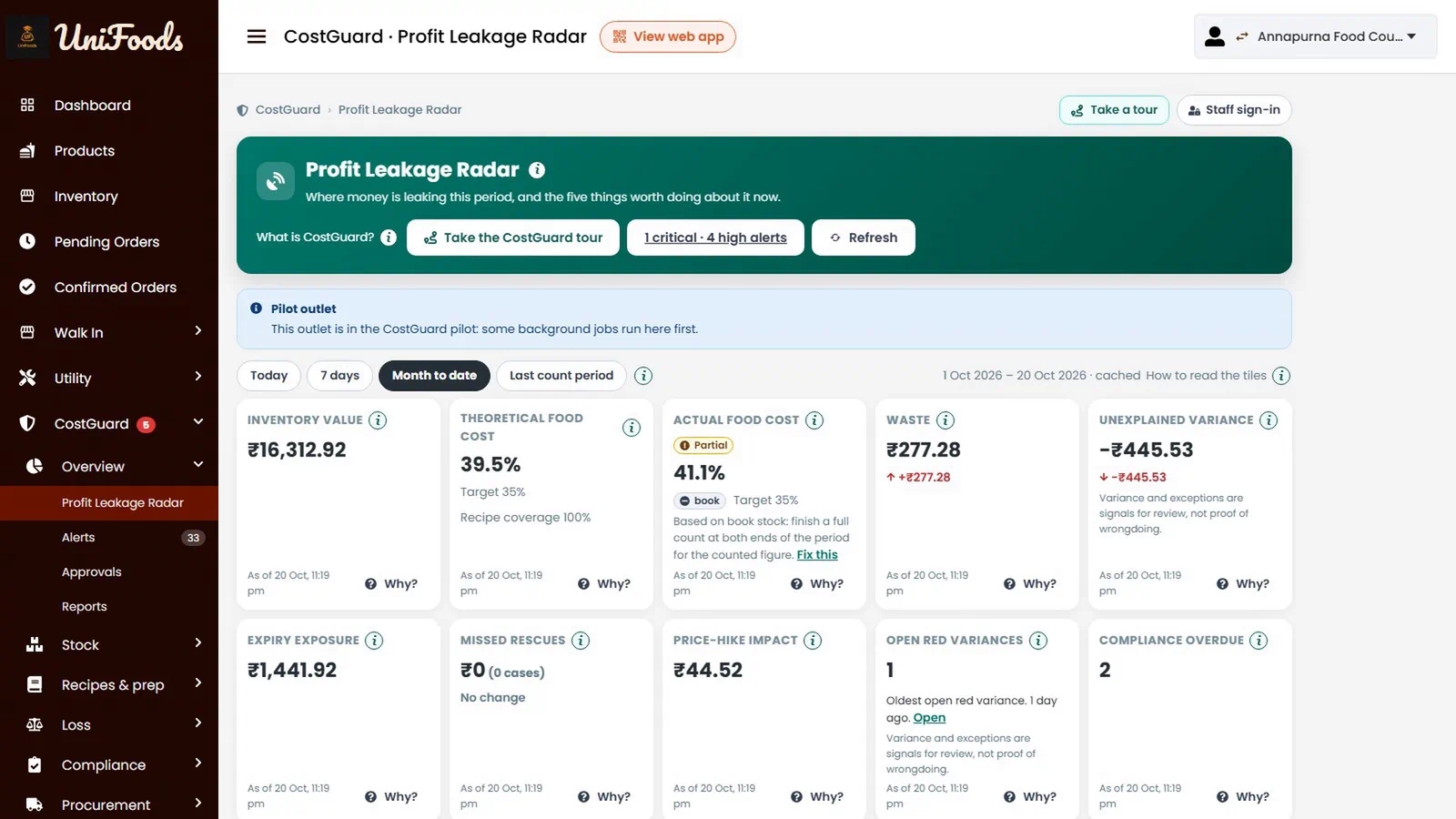
Six places food money leaks
Waste
Logged in seconds with a reason and a photo, and charted by reason so you fix the biggest one first.
Expiry
Every delivery becomes a dated batch, with use-first order and colour bands before anything is lost.
Over-portioning
A recipe for each size of each dish shows what should have been used against what was.
Theft
Blind counts, variance bands and a name, PIN and time on every stock movement.
Supplier overcharging
Deliveries weighed in, bills matched against the order, and price rises flagged.
Uncollected food
A cooked order nobody collects becomes a rescue case: a deal, a staff meal or a donation.
How it runs day to day
A kitchen tablet with staff PINs
One shared tablet and a personal PIN each, and it keeps working when the Wi-Fi drops.
Counts with variance bands
A red variance needs the chef's justification and someone else's approval.
Forecasts and prep plans
Your own sales history becomes a prep plan and suggested purchase orders.
FSSAI records as you work
Temperature logs, frying oil, scale calibration, SOP checklists and audits.
Morning digests
A morning email and a close-out, plus phone alerts for what cannot wait.
Ask CostGuard
Plain questions in English, Hindi or Hinglish, answered from your own data. An optional add-on.
What UniFoods does not do today
- Accounting beyond a Tally export of purchases.
- GST tax invoices with HSN codes. UniFoods prints receipts; tax invoices stay in whatever you use for them today, and purchases export to Tally.
Questions
Can CostGuard work with our existing POS?
CostGuard is strongest when orders run through UniFoods, because every sale draws down its recipe automatically. If you are keeping another billing system, tell us which one and we will say honestly what is possible.
Which plan do we need?
Lite covers stock, expiry and waste. Standard adds recipes, live consumption, counts, compliance and buying. Full adds surplus rescue, forecasts, staff performance and head-office pages. You choose per outlet, and we quote in writing.
Can a mistake in the stock ledger be edited?
No. The ledger cannot be edited. A mistake is corrected by a new, signed entry, so the history stays honest.
How long does setup take?
Ordering, the counter and the kitchen queue can run as soon as the menu is loaded. The menu uploads from a spreadsheet and we do that for you. CostGuard also needs ingredients, recipes and an opening stock count, which we set up with you one outlet at a time.